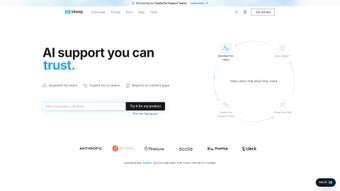

Download Inkeep – AI‑Powered Chatbot Builder for Support Teams
Introduction
In today’s fast‑moving digital landscape, support teams are under constant pressure to deliver instant, accurate answers while juggling a growing backlog of tickets. Traditional FAQ pages and static knowledge bases often fall short, leaving customers frustrated and agents overwhelmed. That’s where Inkeep steps in – a cutting‑edge, AI‑driven chatbot platform that transforms any existing documentation, knowledge base, or ticket archive into a living, self‑learning conversational assistant.
By leveraging large‑language‑model technology, Inkeep not only answers routine queries but also understands context, admits uncertainty, and escalates complex issues to human agents without breaking the flow of conversation. This review explores every facet of the product, from its core capabilities and seamless installation process to real‑world pros and cons, and answers the most common questions potential users ask. Whether you’re a small startup looking for a cost‑effective self‑service solution or a large enterprise seeking to scale support operations, this in‑depth analysis will help you decide if Inkeep is the right tool to boost efficiency, improve customer satisfaction, and future‑proof your support ecosystem.
Overview & Core Features
Inkeep is a subscription‑based SaaS application designed to convert static support content into an interactive chatbot that can be embedded on websites, integrated into mobile apps, or accessed via API. The platform’s AI engine continuously learns from incoming tickets, user interactions, and newly added documentation, ensuring that the bot’s knowledge stays current and relevant. A standout characteristic is the bot’s transparency: when confidence scores dip below a predefined threshold, the chatbot explicitly informs the user that it is uncertain and offers to create a ticket or connect with a live agent. This approach builds trust and reduces the risk of providing inaccurate information.
Key capabilities include:
- AI‑Generated Chatbot from Existing Content: Upload or sync documents, wikis, and ticket histories; the system auto‑indexes and creates a conversational model.
- Context‑Aware Dialogue: Maintains conversation history, references prior messages, and adapts tone based on user intent.
- Uncertainty Disclosure & Human Handoff: Real‑time confidence scoring triggers seamless escalation to agents or ticket creation.
- Automated FAQ Generation: Converts resolved tickets into searchable FAQ entries, continuously expanding self‑service resources.
- AI‑Powered Summaries & Insights: Weekly analytics highlight frequent issues, enabling proactive content updates.
- Multi‑Channel Deployment: Web widget, iOS/Android SDKs, and RESTful APIs for custom integrations.
- Secure & GDPR‑Compliant Architecture: AES‑256 encryption, role‑based access controls, and compliance with major data‑privacy regulations.
- Draft Response Assistant: Suggests reply drafts based on historical tickets, cutting handling time for agents.
- Scalable Cloud Infrastructure: Auto‑scales to handle traffic spikes without performance degradation.
- Extensive Integration Library: Native connectors for Zendesk, Freshdesk, ServiceNow, Confluence, SharePoint, and more.
Beyond these features, Inkeep offers a free 14‑day trial, regular AI model updates, and a transparent roadmap that aligns with the latest advancements in natural language processing. The platform’s emphasis on security, transparency, and continuous learning makes it a compelling choice for organizations that prioritize both efficiency and data protection.
Installation, Daily Usage & Compatibility
Simple Onboarding Process
Because Inkeep is fully cloud‑hosted, there is no traditional software download or local installation required. The onboarding journey consists of three straightforward steps:
- Account Creation & Plan Selection: Visit the Inkeep homepage, sign up with an email address, and choose a subscription tier that matches your ticket volume and feature needs. A 14‑day free trial grants full access to all premium functionalities, allowing teams to evaluate ROI before committing.
- Connect Knowledge Sources: Using built‑in connectors, import data from popular platforms such as Zendesk, Freshdesk, Confluence, SharePoint, or upload CSV/JSON files directly. Inkeep’s AI automatically parses, tags, and maps intents, creating a knowledge graph that powers the chatbot.
- Deploy the Chat Interface: After the AI finishes training (typically within minutes), copy a concise JavaScript snippet and embed it into your website’s footer, or integrate the iOS/Android SDKs into your mobile apps. For deeper custom workflows, generate an API key and follow the REST documentation to embed the bot into internal tools or third‑party portals.
Day‑to‑Day Operations
Once live, the chatbot operates 24/7, handling visitor inquiries, routing complex issues, and logging interactions. Support agents interact with a dedicated dashboard that provides real‑time visibility into active chats, AI‑suggested replies, and escalation triggers. The dashboard also offers detailed analytics: chat volume, first‑contact resolution rates, average handling time, and customer satisfaction scores (CSAT). Agents can flag inaccurate responses, which feed back into the learning loop, continuously improving answer quality. Additionally, the platform’s “Draft Response Assistant” surfaces suggested replies based on historical ticket data, enabling agents to respond faster while maintaining a consistent tone.
Supported Operating Systems
Inkeep’s SaaS model is platform‑agnostic. End‑users can engage with the chatbot from any modern browser on Windows, macOS, Linux, iOS, or Android. The mobile SDKs support iOS 15+ and Android 8.0+, and the web widget adheres to HTML5, CSS3, and JavaScript standards, ensuring compatibility with Chrome, Firefox, Safari, and Edge. Because the service runs in the cloud, there are no client‑side hardware requirements, and updates are delivered automatically without user intervention.
Pros, Cons & Frequently Asked Questions
Pros
- Rapid AI‑driven chatbot creation from existing documentation reduces time‑to‑value.
- Transparent uncertainty handling builds user trust and reduces misinformation.
- One‑click ticket escalation streamlines handoff to human agents.
- Automatic FAQ generation turns support interactions into reusable knowledge assets.
- Robust analytics surface trends, enabling proactive content updates.
- Secure, GDPR‑compliant infrastructure protects sensitive data.
- Multi‑channel support (web, mobile, API) fits diverse tech stacks.
- Scalable cloud architecture handles high traffic without additional configuration.
- Extensive integration library reduces friction with existing tools.
- Continuous AI model improvements keep the bot up‑to‑date with language advances.
Cons
- Subscription pricing may be prohibitive for very small teams or startups.
- Initial data mapping can require effort if legacy systems lack standard export formats.
- Advanced customization (e.g., custom NLP models) is limited to higher‑tier plans.
- Reliance on internet connectivity; offline usage is not supported.
- Learning curve for administrators unfamiliar with AI concepts.
Frequently Asked Questions
How does Inkeep ensure data security?
All data is encrypted at rest using AES‑256 and in transit with TLS 1.3. Role‑based access controls let administrators restrict permissions, and the platform complies with GDPR, CCPA, and ISO 27001 standards.
Can Inkeep integrate with my existing ticketing system?
Yes. Inkeep offers native connectors for Zendesk, Freshdesk, ServiceNow, Jira Service Management, and others. For unsupported systems, the REST API allows you to push and pull tickets programmatically.
Is there a limit to how much content I can import?
Paid plans support unlimited documents and text volume. The free trial imposes a soft limit of 10 GB of text data, which is sufficient for most pilot projects.
How does the chatbot decide when to hand off to a human?
Inkeep uses a confidence‑score threshold. When the AI’s confidence falls below the configured level, it automatically offers to create a ticket or connect the user with a live agent, preserving conversation context for a smooth transition.
What support options are available to Inkeep customers?
All subscribers receive 24/7 email support. Enterprise tiers add a dedicated account manager, priority phone support, and access to an extensive knowledge base, video tutorials, and community forum.
Conclusion & Call to Action
Inkeep delivers a compelling combination of AI sophistication, transparent uncertainty handling, and seamless integration that makes it a standout choice for modern support teams. By converting static documentation into a dynamic chatbot, it reduces repetitive workload, shortens resolution times, and continuously enriches the knowledge base with fresh insights. While the subscription cost may be a consideration for very small operations, the productivity gains, higher CSAT scores, and reduced agent burnout typically justify the investment. If you’re ready to modernize your self‑service experience, boost agent efficiency, and provide customers with instant, trustworthy answers, now is the perfect time to give Inkeep a try.
Start your free 14‑day trial today and see how quickly a fully functional AI chatbot can be up and running on your site, mobile app, or internal portal. Experience the future of support—secure, scalable, and always learning.
Inkeep provides an intuitive, AI‑driven chatbot that genuinely reduces support workload while maintaining a high level of user trust. Its automatic FAQ generation and transparent uncertainty handling are especially valuable for enterprises seeking scalable self‑service solutions.



.png)



